
Task Dependencies
Task dependencies in LaunchBay give you control over the order in which tasks are activated, ensuring work can't move forward until the right prerequisites are complete. Dependencies are designed to enhance automation flows with more structure and visibility.
How Task Dependencies Work
A dependency relationship has two sides:
- Blocked By— This task must be completed before the current task can be activated
- Unblocks — This task cannot be activated until current task is completed
When Task B is blocked by Task A and blocks Task C: Task B cannot activate until Task A is complete, and Task C cannot activate until Task B is complete. Once each dependency is cleared, the next task in the chain activates automatically.
Setting Up Dependencies
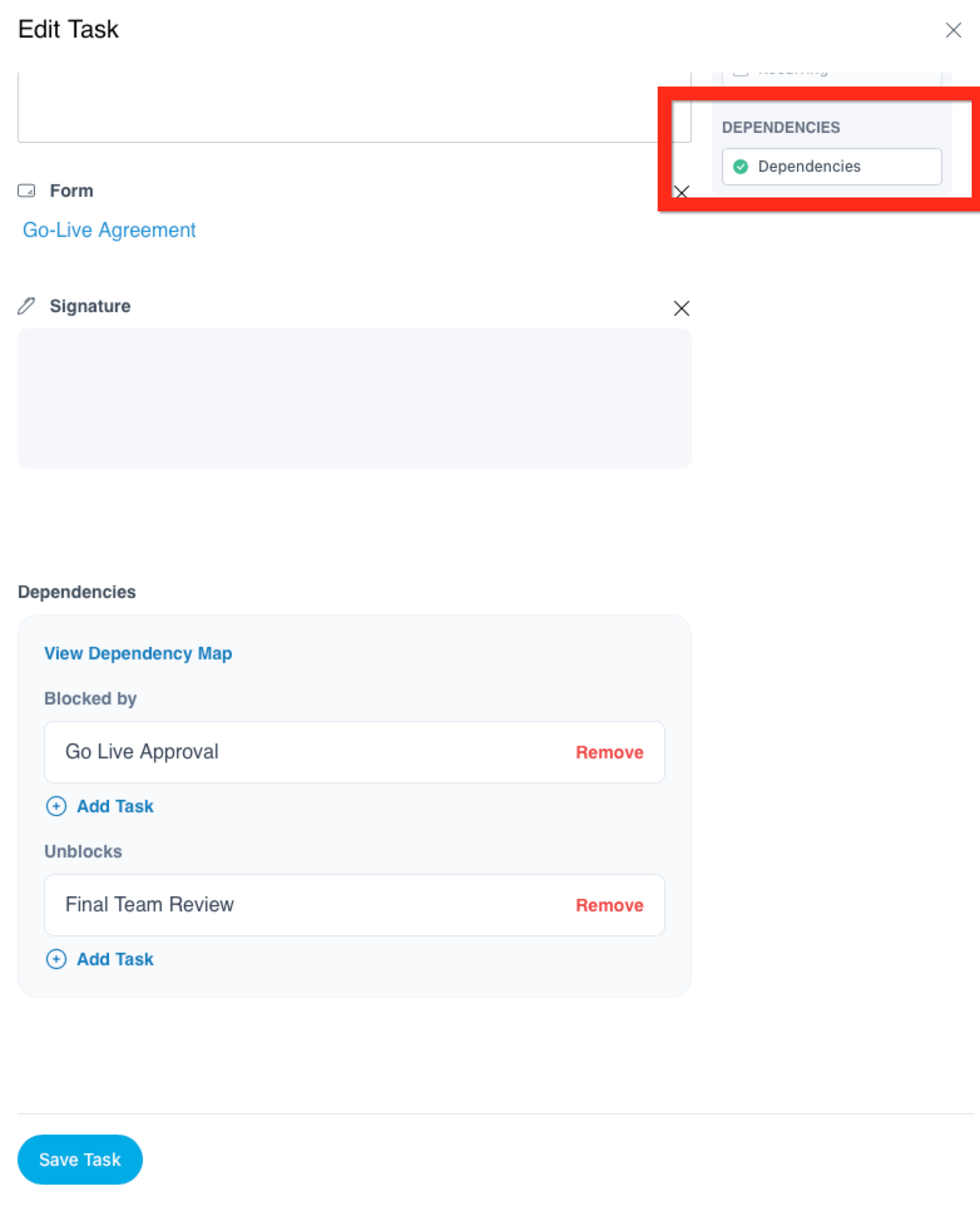
To add a dependency to a task:
- Open the task editor
- Scroll to the Dependencies section of the task options
- Use the Blocked by field to select tasks that must be completed first
- Use the Unblocks field to select tasks that cannot be activate until these dependencies are cleared.
You can chain multiple dependencies to create a waterfall sequence — for example, Task A blocks Task B, which blocks Task C, and so on.
Dependency Map
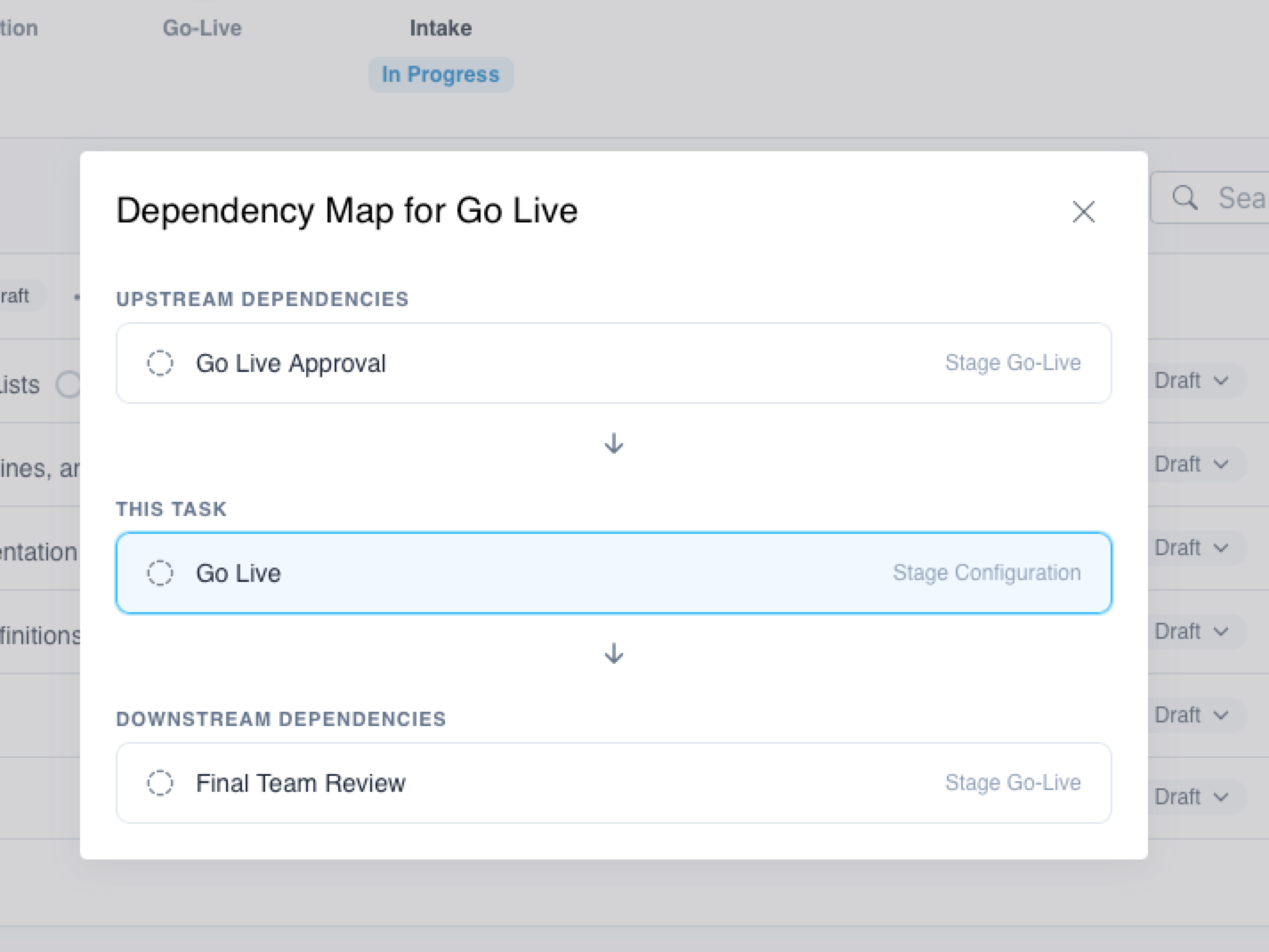
Tasks with dependencies include a visual dependency map so you can see the full chain of relationships at a glance — which tasks are upstream, which are downstream, and where work currently stands. Click the chainlink icon on a task to view its dependency map.
Use Cases
Task dependencies work especially well alongside LaunchBay automations for more structured, controlled workflows. A few examples:
- Sequential onboarding steps — Ensure a client can't be sent a contract until an intake form is completed
- Approval gates — Block a deliverable task until an internal review task is finished
- Assignee order enhancement — Combine with assignee order to control both who completes a task and when it becomes available