
Private Tasks
Instead of using separate platforms for client-facing and internal team collaboration, LaunchBay's Private Tasks are internal tasks that empower your team to manage all communication, tasks, and files related to client projects in one place.
This article will explain how Private Tasks work and how you can use them in your LaunchBay projects.

How to Create Private Tasks
To create a Private Task, click the "Create task" button in a project. Then, make sure that under "Visibility," the "Private" option is selected
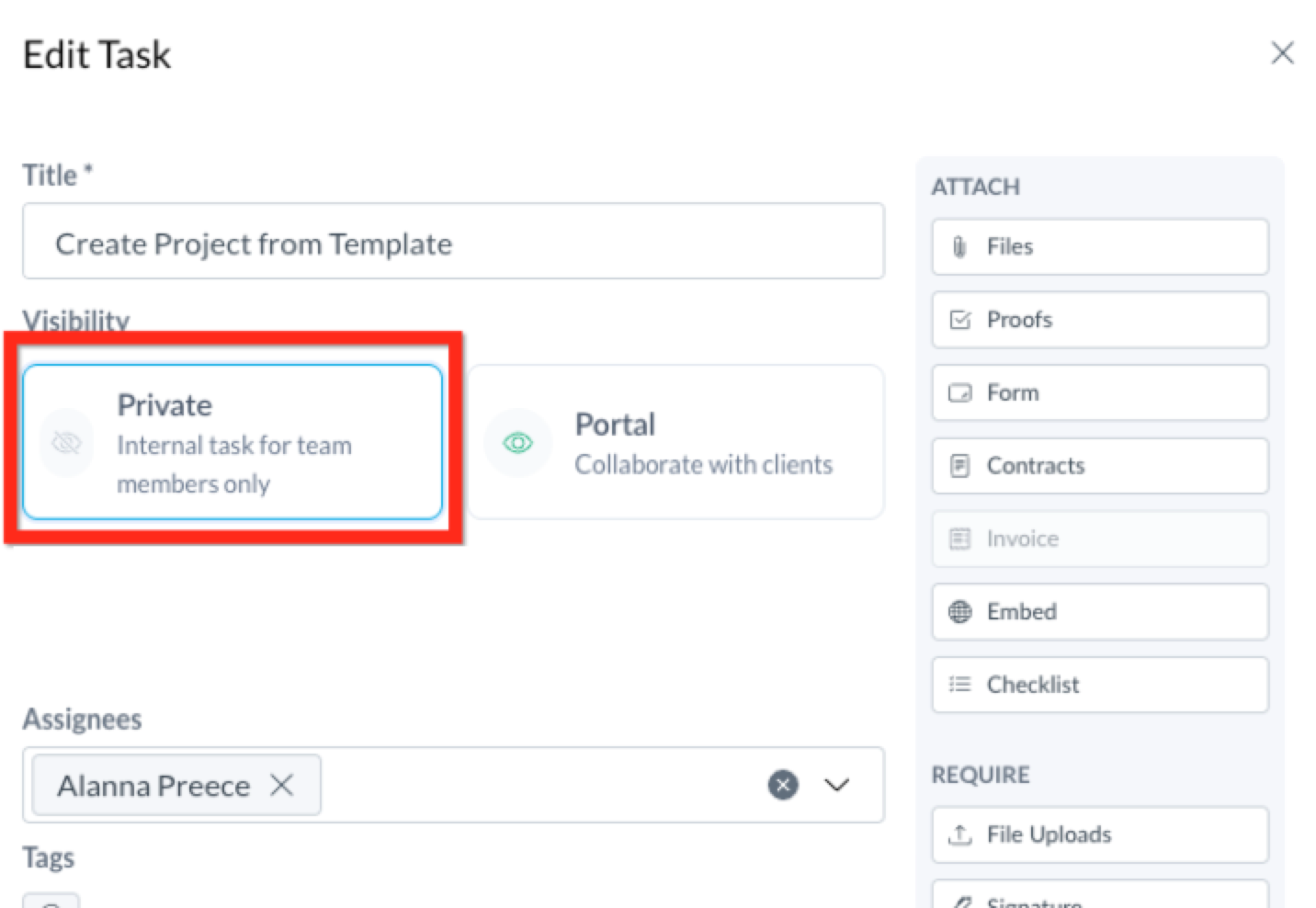
Like Portal Tasks, your team can create Private Tasks in active projects and project templates. To assign team members to tasks, you must first add them to the project.
Task Options for Private Tasks
While the Task Composer Internal and Client Task Composers are nearly identical, there are a few differences.
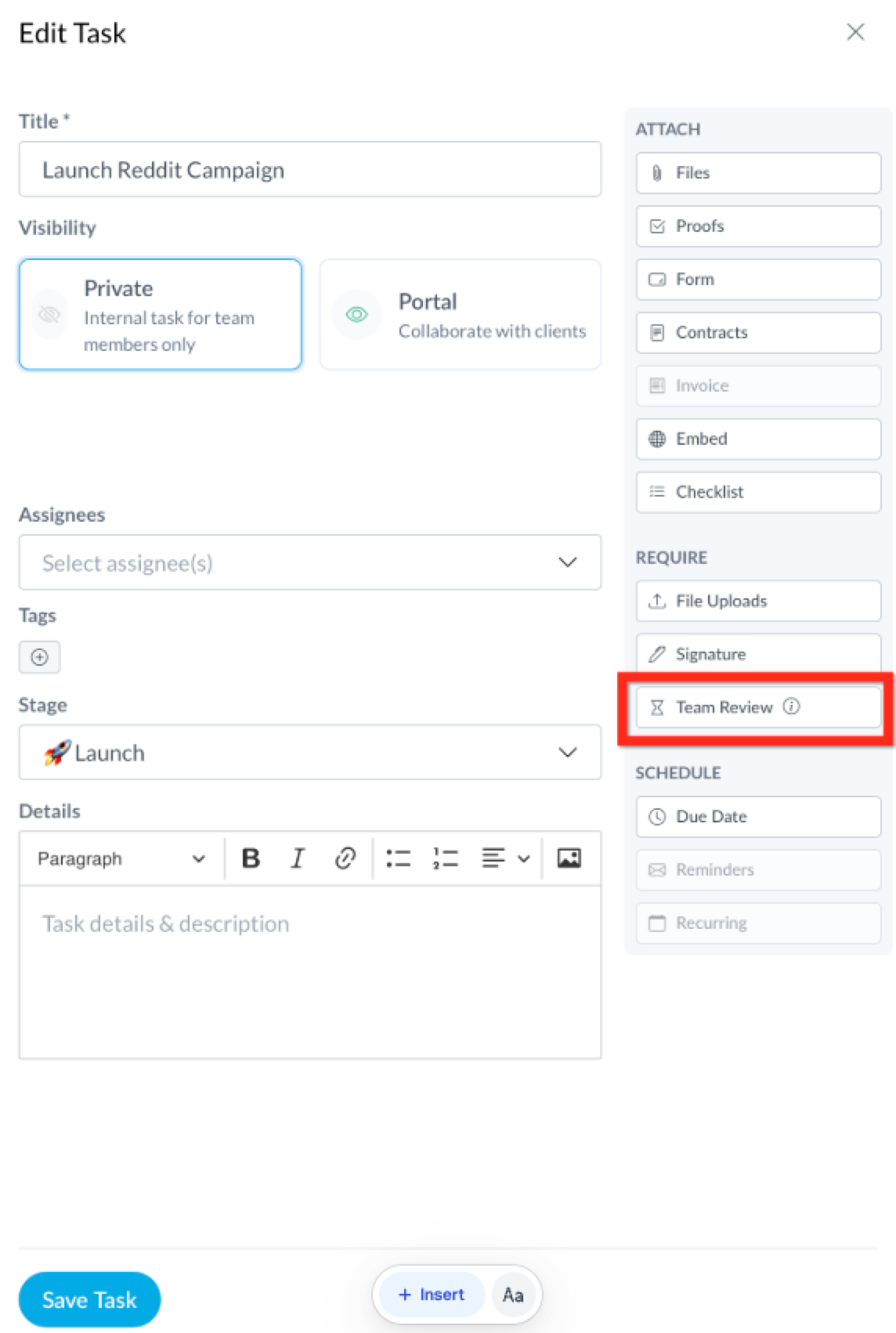
Require Team Review
When creating a task, you have the option to require a team review before the task is marked as complete. You can assign a reviewer from your team during Task creation or editing.
Once the assigned team member marks the task as complete, it will automatically be sent to the designated reviewer for final approval. The Task status will appear as "In Review" until completion.
Creating Checklists
Clicking on "Checklist" under "Attachments" allows you to create a "to-do" list within a Task. When creating subtasks, you can assign them to specific team members and add individual due dates for each.

Managing Private Tasks ("All Tasks" View)
The Task Dashboard shows all tasks in a single, streamlined list. While tasks assigned to you are shown by default, you can filter by assignee, task type, due date, and more. Toggle between list and calendar views to visualize upcoming work and deadlines, and click into any task to make edits or review progress.
Calendar View in Tasks
Click the 'Calendar' tab in the top right corner of the Tasks page to see tasks by due date. Click the task to view it, or drag tasks to new dates to reschedule instantly.