
LaunchAI
LaunchAI is a layer of AI built directly into LaunchBay. It has two parts: LaunchAI Chat, an in-app assistant with access to every project in your workspace, and LaunchAI Agents, always-on agents that monitor your projects in the background and surface what needs attention.
Accessing LaunchAI
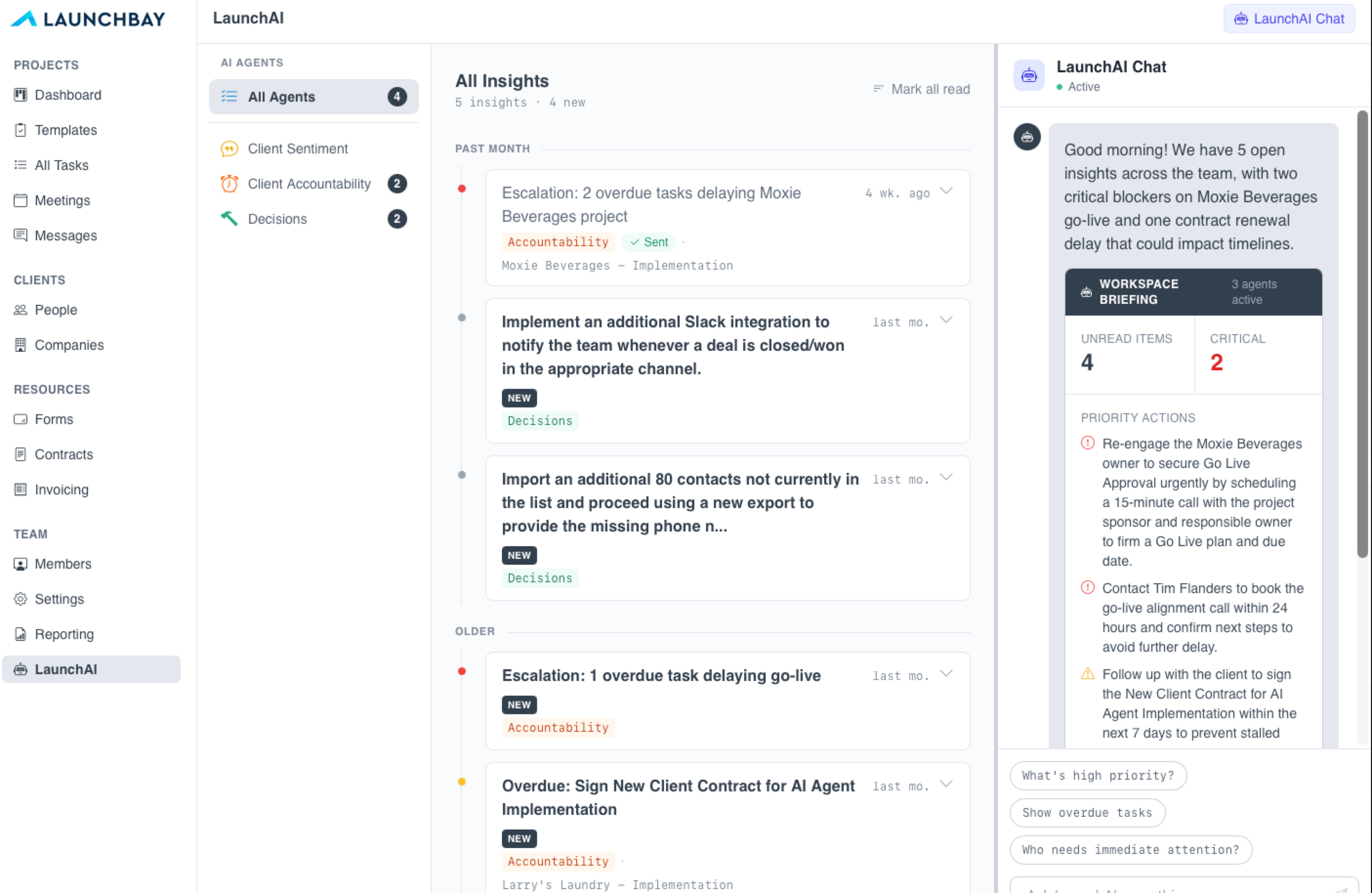
To access LaunchAI, click the LaunchAI tab in the left sidebar of your LaunchBay account. The page is divided into two sections:
- LaunchAI Chat— An in-app AI assistant with access to your full workspace. Open it for a daily briefing on what's unread, what's critical, and what to do first.
- LaunchAI Agents — Specialized agents that monitor every project they've been added to, surfacing risks and drafting next steps so nothing slips.
LaunchAI Chat
LaunchAI Chat has access to every project in your workspace. Open it and get a daily briefing — what's unread, what's critical, and what to do first. From there, you can ask follow-up questions, dig into specific projects or customers, or ask LaunchAI Chat to take action on your behalf, like sending a nudge to a customer whose onboarding has stalled. Click the LaunchAI Chat button in the top right to show or hide the sidebar chat window.

When LaunchAI Agents are also active, their findings flow into LaunchAI Chat, so you can ask questions that pull from agent signals across your workspace.
LaunchAI Agents
LaunchAI Agents are always-on. Each agent is designed for a specific job, working in the background across every project it's been added to. Three agents are live in early access, with more on the roadmap.
To enable an agent, open an active project or template, go to the AI Agents tab, and toggle on any agent you'd like to activate, or add them from the LaunchAI settings.
📢 Note: Enabling agents at the template level will apply to new projects created from that template. It will not retroactively update existing projects.
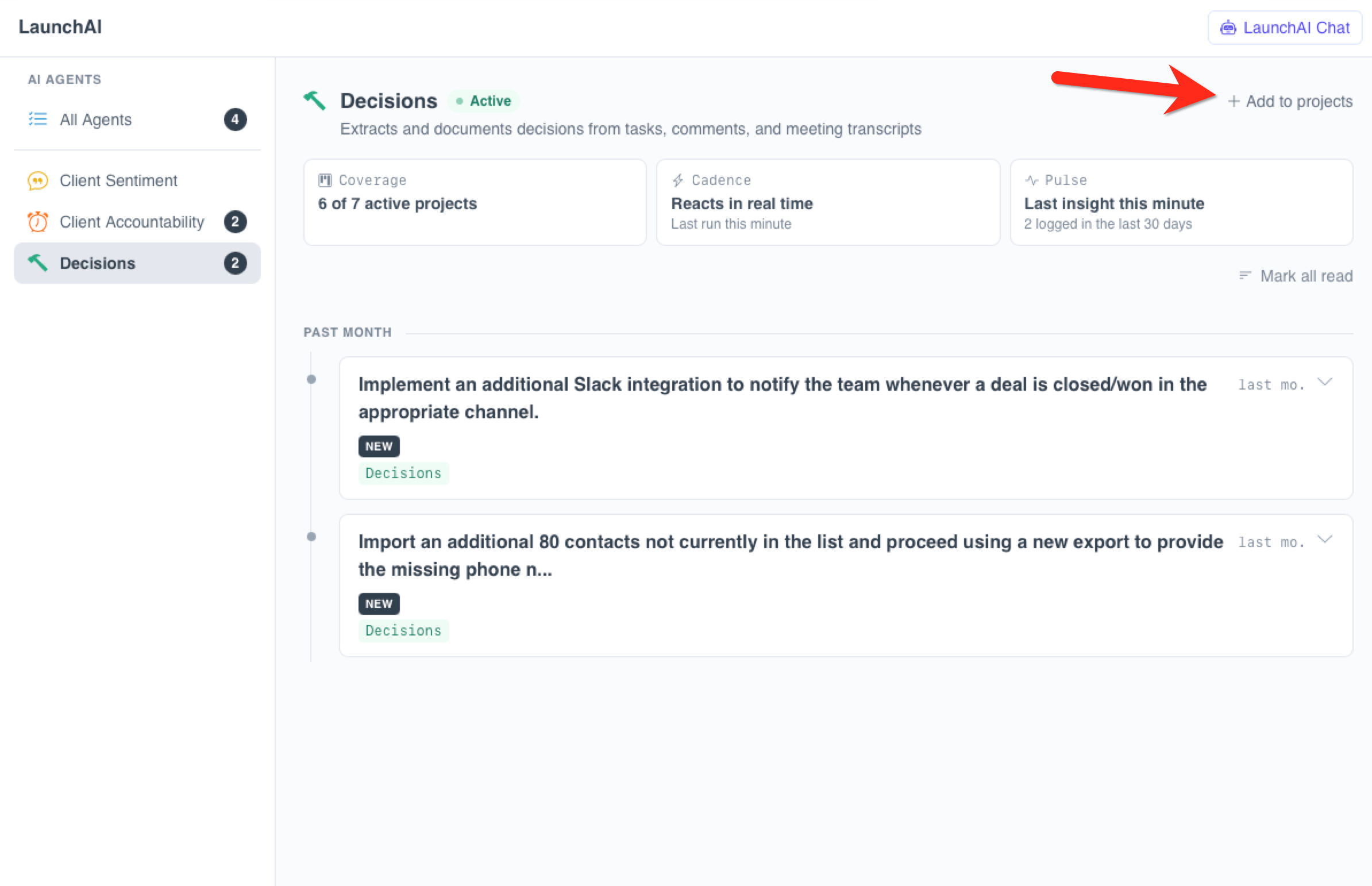
Each agent has a dedicated section on the LaunchAI page with three at-a-glance beacons:
- Coverage — Shows how many projects the agent is currently active in. To add more, click "Add to Projects" and select individual projects or "Select All" to activate the agent across all projects at once.
- Cadence — Shows how often the agent runs.
- Pulse — A running history of the agent's activity, so you can see what it has flagged or actioned over time.
Client Sentiment
The Client Sentiment agent reads every comment and message across your active projects and flags anything that signals frustration, dissatisfaction, or a tone that needs follow-up. A frustrated tone gets a critical alert. A mildly negative comment gets a warning.
Each flag includes context and links directly to the task or message thread so you can jump straight to the source and take action. Flags stay on your dashboard until you mark them read.
Client Accountability
The Client Accountability agent monitors overdue or stalled customer tasks and surfaces them along with a recommended next step. Instead of running a weekly report on which customers are behind, you walk into a list of accounts that need follow-up, with a draft nudge ready to send for each one.
For every flagged task, the agent drafts a personalized nudge you can send in one click. Edit the draft, rewrite it entirely, delete it and send a general notification, or combine multiple overdue tasks from the same customer into a single message. When you send a nudge, the customer receives a customized email with a magic link straight to their portal — no login required. Nothing gets sent without your approval.
👋 Tip: AI-drafted nudges are also available via the LaunchBay MCP connector. Ask Claude, ChatGPT, or any MCP-compatible assistant to send nudges to customers with overdue tasks — LaunchBay handles the drafting and delivery automatically.
Decisions
The Decisions agent reads across tasks, comments, and meeting transcripts and surfaces decisions or suggestions that have come up during the project. When the agent identifies a potential decision, you'll have the option to log it to your Decisions list with one click — a quick-reference record of choices made during a project, separate from longer-form notes.